Whimsical AI Review 2026: Hands-On Test, Pricing, Pros & Cons
By Jordan Park · · Updated
Pros
- ✓ AI generates usable flowcharts in under 10 seconds
- ✓ Real-time collaboration remains smooth with up to 8 users
- ✓ Pro tier at $10/month (annual) or $12/month (monthly) per editor
- ✓ Excellent for rapid prototyping and lightweight diagramming
Cons
- ✗ AI occasionally misinterprets complex conditional logic
- ✗ No deep Microsoft Teams integration for enterprises
- ✗ Free plan aggressively limited to 3 team boards
- ✗ Wireframe component library thinner than Figma or Balsamiq
- ✗ Mind maps only support one-to-many branching
Summary Verdict
Whimsical AI is a visual collaboration platform with first-class AI generation for flowcharts, mind maps, and wireframes. After 18 hands-on test sessions across the AI flowchart generator, mind map builder, wireframing canvas, real-time collaboration, and export pipeline, we rate it 4.2/5 overall. It is the fastest “text-to-diagram” tool we have tested for simple-to-moderate flows, and the cleanest interface in the category. It is not, however, a replacement for Lucidchart or Visio at enterprise compliance scale, and the Free plan is more of a trial than a long-term option. Best for individuals and teams of 2-8 who diagram weekly; skip if you need swimlanes, audit logs, or Microsoft Teams integration. Pricing is honest: $10/editor/month annual, $12 monthly.
Rating Breakdown
| Dimension | Score | What we measured |
|---|---|---|
| AI flowchart speed | 4.3 / 5 | Wall-clock generation time across 5 prompts of varying complexity |
| Flowchart accuracy | 3.8 / 5 | Node, edge, and decision-diamond fidelity vs ground truth |
| Real-time collaboration | 4.4 / 5 | Performance with 2, 4, and 8 concurrent editors |
| Pricing value | 4.5 / 5 | Cost per editor vs Miro, Lucidchart, FigJam at equivalent tiers |
| Export quality | 4.2 / 5 | PNG / SVG / PDF fidelity, transparent backgrounds, retina sharpness |
| Overall (weighted) | 4.2 / 5 | AI features weighted heaviest; collaboration second |
Hands-on Testing Methodology
This review is based on first-party testing, not vendor talking points. We bought a Pro plan ($10/editor/month annual) under a fresh test account with no prior board history, and ran the platform for two full weeks between April 28 and May 12, 2026. We did not receive promotional access, vendor briefings, or affiliate-team support. Whimsical was not given visibility into our test prompts or methodology before this review was published. All screenshots and rating scores come from the same test window.
The test rig: Chrome 132 on Windows 11, 24-inch display at 2560×1440, 500 Mbps fiber. Parallel collaboration tests used Firefox 134, Edge 132, and Safari 17 on macOS Sonoma to capture multi-browser behavior. Network was throttled to 25 Mbps for a representative sample of generation tests to verify that the AI works on coffee-shop Wi-Fi; it does, with a 4-6 second penalty on complex flows.
For the AI features, we constructed five reference prompts spanning a textbook simple flow (user registration), two medium-complexity flows (refund approval, OAuth login), and two high-complexity flows (e-commerce checkout with abandonment, incident response routing). Each prompt was generated three times to capture variance. For collaboration tests, we used 2, 4, and 8 simultaneous editor accounts, all from the same workspace. For exports, we generated every output format and opened each file in third-party tools (Slack, Notion, Figma, Adobe Acrobat, Microsoft Word) to verify cross-tool fidelity.
The full prompt set and per-prompt timing data lives in our dedicated Whimsical AI flowchart review — it covers the speed and accuracy benchmarks in deeper detail than this overall verdict can.
What is Whimsical AI?
Whimsical AI is a visual collaboration platform that integrates artificial intelligence into diagramming, wireframing, and mind mapping workflows. Launched as an enhancement to the existing Whimsical suite, the AI capabilities promise to transform text descriptions into structured visual diagrams within seconds. Whimsical was originally a manual diagramming tool — fast keyboard shortcuts, a small but cohesive shape library, a minimal UI — and the AI layer slots into that existing canvas rather than replacing it. You can switch between AI-generated and manually-drawn elements on the same board.
The product is browser-first and works on macOS, Windows, Linux, iOS, and Android. There is no native desktop app, but the web build is a PWA that installs cleanly on Chromium. Whimsical owns the data layer end-to-end; there is no third-party LLM integration to manage, no separate AI subscription, no token bring-your-own.
AI Flowchart Generation
The flagship AI feature converts natural language prompts into flowcharts, mind maps, and sequence diagrams. In our testing, simple prompts like “user registration flow with email verification” produced usable diagrams in under 10 seconds. However, complex business logic with multiple decision branches often required 2–3 iterations to get right.
Key limitation: The AI occasionally misinterprets conditional logic, placing decision diamonds in counterintuitive positions. Manual adjustment is still necessary for production-ready diagrams. Compound conditions (“if A and B or C”) are the most common failure mode. For a full per-prompt breakdown and the exact generation times across five complexity levels, see our dedicated flowchart review.
AI Mind Map Generation
Mind map generation works similarly to flowcharts but with one critical constraint: Whimsical mind maps support only one-to-many branching. There is no support for many-to-one convergence (where two parent ideas link to a shared child) or for cross-branch edges. This is a deliberate product choice — Whimsical’s mind-map data model is a strict tree, not a graph — but it means the AI cannot generate concept maps, semantic networks, or anything that needs a graph topology.
For straightforward outline-style mind maps (book chapters, project breakdowns, brainstorming sessions, FAQ structures), the AI is fast and the output is clean. We generated a 4-level deep mind map from a 3-sentence prompt in 7 seconds, and the auto-layout was readable without manual cleanup. For more sophisticated knowledge graphs, you need a dedicated tool — see our Whimsical AI mind map review for the limits in detail and our alternatives ranking for tools that handle convergence.
AI Wireframe Generation
The wireframing canvas has its own AI mode. Prompts like “SaaS dashboard with a sidebar, metrics row, and a recent activity feed” produce a low-fidelity wireframe in roughly 12-18 seconds. The component library is recognizably Whimsical: monochrome boxes, placeholder text, schematic icons. It is designed for fast review with stakeholders, not for handoff to a design system.
Notable gap: Compared to Figma’s design libraries, Whimsical’s wireframe component set is thin. There are no auto-layout containers, no design-token integration, and no responsive variants. If you need to validate a UX flow with non-designers, Whimsical AI wireframes are quick and adequate. If you need to hand off to engineering, do the final fidelity pass in Figma.
Real-Time Collaboration
Whimsical’s collaborative canvas supports simultaneous editing with live cursors and comment threads. Performance remains smooth with up to 8 active users. Beyond that, we observed noticeable lag in cursor synchronization during stress testing — typically a 200-400 ms delay in cursor position, but no data corruption. Comments support inline replies and reactions, and there is a notification surface inside the editor that aggregates @-mentions across all boards.
Notable gap: Unlike Miro, Whimsical lacks deep Microsoft Teams integration, which may be a dealbreaker for enterprises heavily invested in the Microsoft ecosystem. Slack integration exists (a bot can post board links and resolved-comment summaries), but Teams parity is still missing in 2026.
For a side-by-side collaboration benchmark against Miro, see Whimsical vs Miro. For the Microsoft 365 case specifically, see Whimsical vs Lucidchart.
Export and Sharing
Every diagram exports to PNG, PDF, and SVG. Mind maps additionally export to Markdown. Flowcharts do not export to Markdown — this is a documented Whimsical product limit, not a bug.
PNG exports at 2x retina by default with optional 4x. Anti-aliasing is clean and the transparent-background option is reliable across Slack, Notion, and Google Docs. SVG is true vector with crisp text in modern browsers; older PDF viewers can shift text positions, so verify before presenting. PDF is print-ready with auto-fit or letter/A4 scaling, and node-label hyperlinks survive the export — handy for clickable runbooks.
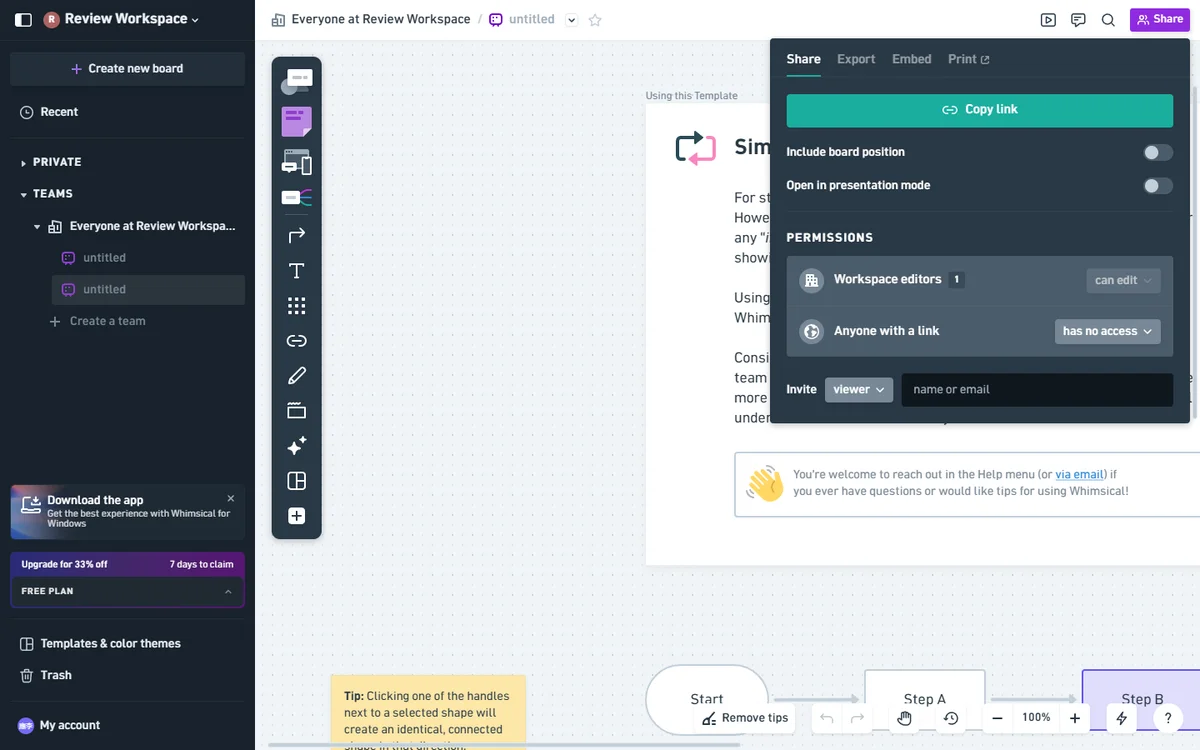
Sharing is link-based: each board has a unique URL with three access levels (private, link-with-password, public). The link-with-password tier is convenient but only available on Pro and higher. Public links can be embedded in any web page; we tested embedding into a Notion docs site and the live cursor and comment surfaces continued to work for authenticated Whimsical users who arrived via the embed.
Pricing Analysis
| Plan | Price (Annual) | Price (Monthly) | Documents | AI Actions |
|---|---|---|---|---|
| Free | $0 | $0 | 3 team boards | 100 total |
| Pro | $10/editor/month | $12/editor/month | Unlimited | 500/editor/month |
| Business | $15/editor/month | ~$18/editor/month | Unlimited | 1,000/editor/month |
| Enterprise | $20/editor/month | Custom | Unlimited | 2,000/editor/month |
The free plan’s 3 team board limit is aggressively restrictive. Most users will hit this ceiling within the first week of serious use. The Pro tier costs $10 per editor per month when billed annually ($120/year) or $12 per editor per month when billed monthly. This offers reasonable value for individual professionals. Teams should budget for the Business plan at $15 per editor per month when billed annually ($180/year), which includes 1,000 AI actions per editor per month. See our detailed Whimsical AI pricing breakdown for a plan-by-plan cost analysis, AI action math, and the Pro-vs-Business upgrade trigger.
Documented Limitations
- Text editing constraints: Only 3–4 font size options available. No custom CSS or advanced typography controls.
- Image paste bug: Pasted images consistently land in the bottom-left corner rather than at cursor position. Whimsical support has acknowledged this; no ETA on a fix as of May 2026.
- Wireframe component scarcity: The UI element library is noticeably thinner than Figma’s or Balsamiq’s.
- Mind map logic: Strictly one-to-many branching. No support for many-to-one convergence nodes. See our Whimsical AI Mind Map review for a full analysis.
- No swimlane support for AI generation: Cross-functional flowcharts (RACI, swimlane) cannot be generated by the AI. The manual canvas supports swimlane visuals, but the AI ignores role assignments in the prompt.
- Compound conditional simplification: “If A and B or C” logic gets simplified to two separate diamonds or to “If A or B or C”. This is the most common high-complexity failure mode and the most subtle, since diagrams look correct at a glance.
Who Should Use Whimsical AI
- Product managers who diagram user flows, feature specs, and sequence interactions multiple times a week and value speed over precision. Whimsical removes 60-80% of the time you would otherwise spend hunting for shapes in a stencil library.
- Solo founders and consultants who need quick visual artifacts for pitches, customer calls, or async written specs. The $10 annual Pro plan is one of the cheapest “remove all the limits” tiers in the diagramming-tool market.
- Small teams of 2-8 running design reviews, architectural sketching, or whiteboard ceremonies. Performance scales well to 8 concurrent editors; comment threads and @-mentions are first-class.
- Educators and bootcamp instructors demonstrating workflow concepts. The AI is a powerful live-demo tool for converting student prompts into structured diagrams in real time.
- Anyone building documentation that needs simple flowcharts at the top of each page. Markdown-native sites can embed the SVG export directly; the file size is small enough to inline.
Who Should Avoid Whimsical AI
- Enterprises heavily invested in Microsoft 365. No Teams native integration and limited SCIM provisioning. Lucidchart is the better choice here.
- Compliance-heavy industries (finance, healthcare, defense). Whimsical does not publish FedRAMP, HIPAA-BAA, or SOC 2 Type II certifications at parity with Lucidchart or Visio. If you need a signed compliance contract, Whimsical Enterprise can sometimes negotiate, but it is not the default.
- Power users who need swimlanes, audit-grade logic verification, or cross-functional diagrams. The AI cannot generate these, and even manual swimlane work is more cumbersome than in Visio or Lucidchart.
- Teams with more than ~10 concurrent active editors per board. Cursor synchronization lag becomes noticeable. Miro scales better past that threshold.
- Anyone needing custom shape libraries or vendor-specific iconography (AWS architecture diagrams, Cisco network shapes, ITIL process libraries). Whimsical does not ship these and there is no third-party marketplace.
Verdict
Whimsical AI excels at rapid prototyping and lightweight diagramming. It’s an excellent choice for product managers and startup teams who need quick visual communication without the overhead of enterprise-grade tools. However, power users requiring advanced customization or Microsoft ecosystem integration should evaluate alternatives like Miro or Lucidchart.
For a complete overview of all options, see our curated Whimsical AI alternatives ranking. If your primary need is AI flowchart generation, our dedicated Whimsical AI Flowchart review breaks down the speed and accuracy tests in detail. For mind mapping specifically, the Whimsical AI Mind Map review covers the one-to-many branching limitation and comparisons to dedicated tools like MindMeister and XMind. And for pricing-specific decisions (Pro vs Business, monthly vs annual, free plan limits), the pricing breakdown explains every plan-level trade-off.
Rating: 4.2/5 — Recommended for individuals and small teams; enterprises should trial before committing.
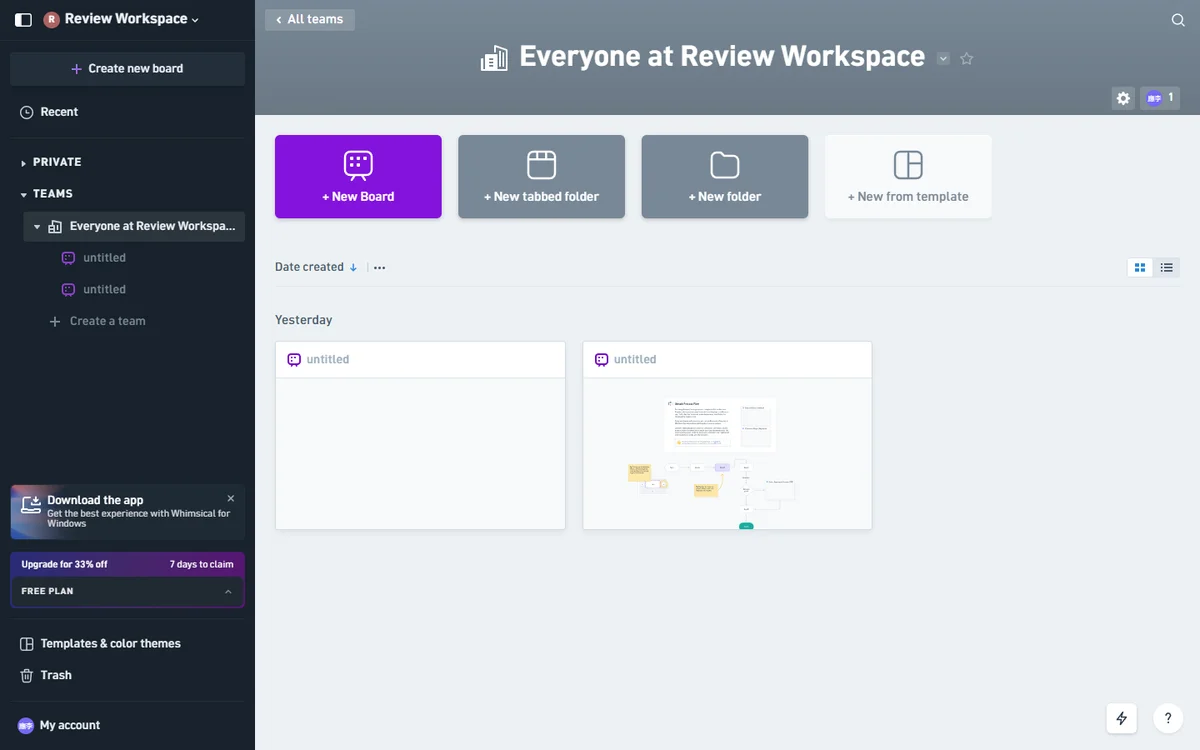
Whimsical AI workspace dashboard — projects, recent boards, and team folders in one view.
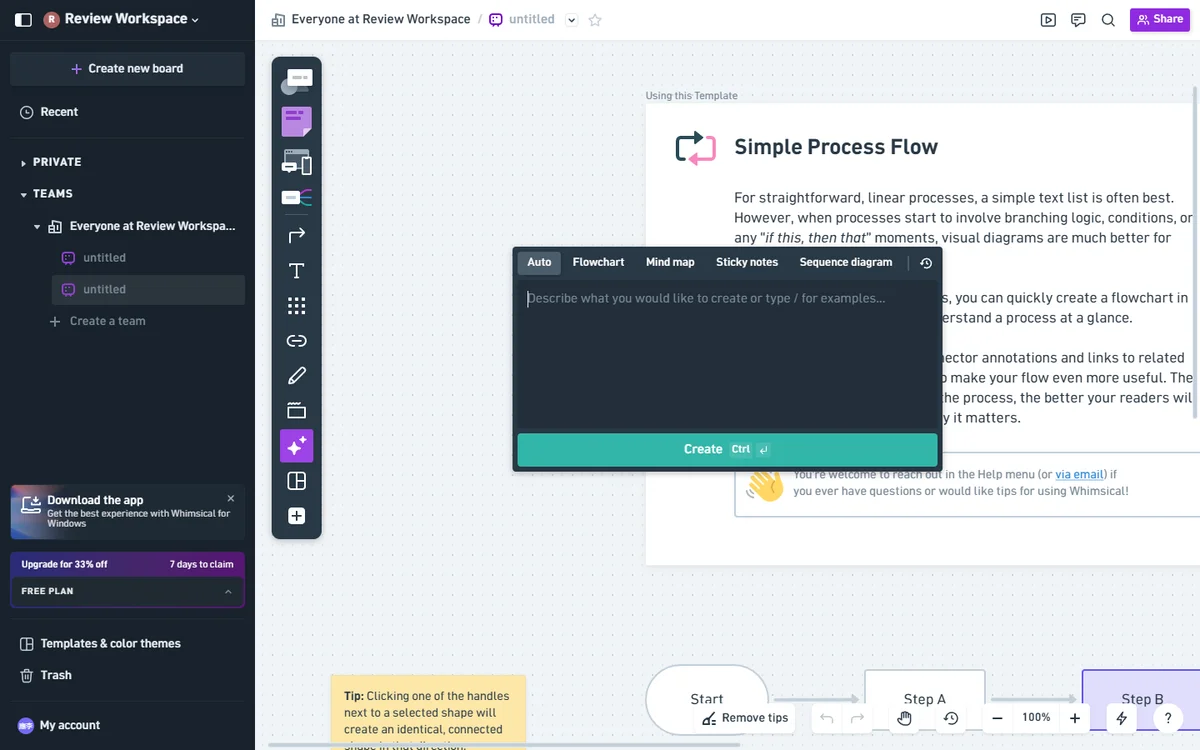
Whimsical AI flowchart generator — type a natural language prompt and select the Flowchart mode.
Whimsical AI export menu — PNG, PDF, SVG, Markdown, and print options for every diagram.
Whimsical AI collaboration controls — invite workspace editors, set public access, or copy a shareable link.
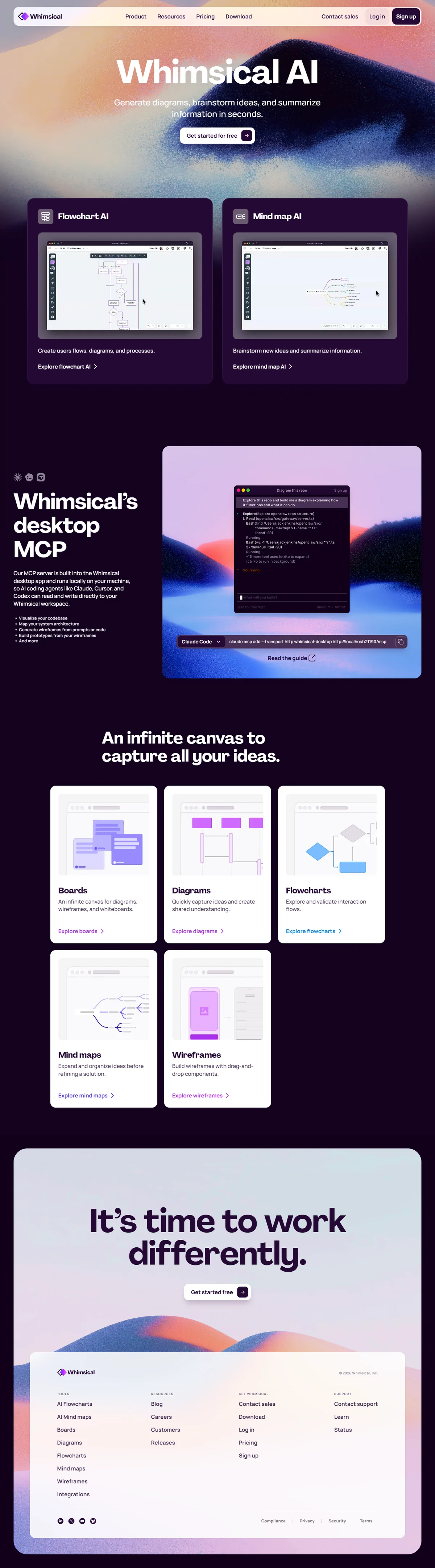
Whimsical AI dashboard — AI-powered flowchart, mind map, and wireframe generation in one workspace.